Vault: Difference between revisions
m (→Key Rules) |
mNo edit summary |
||
| Line 3: | Line 3: | ||
The [[Vault]] is the hub for managing your [[Vault]] | The [[Vault]] is the hub for managing your [[Vault]] [[Assets]] in [[Outlaw Troopers]]. | ||
==How to Access== | ==How to Access== | ||
- From the [[Outlaw Troopers]] main page (https://play.outlawtroopers.io/), click "Vault". | - From the [[Outlaw Troopers]] main page (https://play.outlawtroopers.io/), click "Vault". | ||
- While in-game, go to Account → | - While in-game, go to Account → Vault | ||
- Shortcut: Click the [[Kroc]] icon at the top of the Main Interface for direct access. | - Shortcut: Click the [[Kroc]] icon at the top of the Main Interface for direct access. | ||
| Line 43: | Line 43: | ||
==Importing Assets== | ==Importing Assets== | ||
The game no longer scans your [[Vault]] or wallet automatically. To use your | The game no longer scans your [[Vault]] or wallet automatically. To use your [[Assets]] ([[Ships]], [[Troopers]], etc.) in the game, you must manually import them: | ||
- Go to the [[Server]] Selection screen. | - Go to the [[Server]] Selection screen. | ||
Revision as of 13:12, 4 February 2026
Introduction
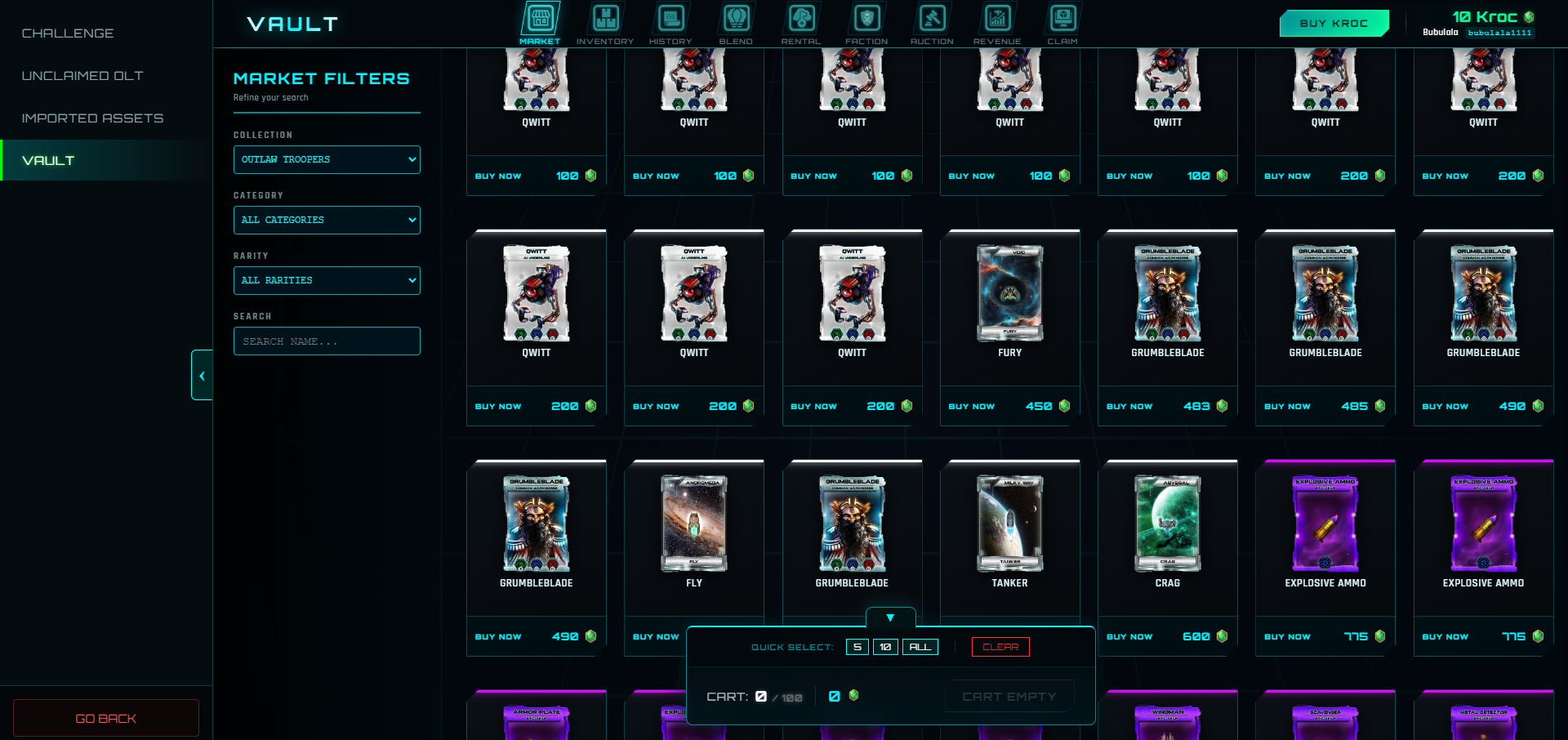
The Vault is the hub for managing your Vault Assets in Outlaw Troopers.
How to Access
- From the Outlaw Troopers main page (https://play.outlawtroopers.io/), click "Vault".
- While in-game, go to Account → Vault
- Shortcut: Click the Kroc icon at the top of the Main Interface for direct access.
Key Rules
- Kroc Currency: The Vault uses Kroc for all market transactions, auctions, and upgrades.
- No Deposits: You cannot deposit tokens or NFTs into the Vault.
- One-Way Withdrawal: You can withdraw your Vault items to the blockchain at any time. However, once an item is withdrawn, it cannot be returned to the Vault for trading or Blending.
- Withdrawal Time: Processing a withdrawal request can take up to 24 hours.
Vault Functions
- BUY KROC: Click the Buy Kroc button to exchange FGL Token or OLT Token for Kroc.
- MARKET: Buy and sell items with other players using Kroc.
- INVENTORY: View your current items, list them for sale in the Market, or request a withdrawal to the blockchain.
- HISTORY: Track the market transactions and your withdrawal requests.
- BLEND: Blend vouchers, upgrade item rarity, convert Ships, or craft Decks.
- RENTAL: Rent out your items or rent items from other players.
- FACTION: Purchase and upgrade your Faction Rank items.
- AUCTION: Bid on auctions.
- REVENUE: View a weekly breakdown of sales and profit distributions (primarily for Space Station owners).
- CLAIM: Claim Prizes and newly immortalized items.
Importing Assets
The game no longer scans your Vault or wallet automatically. To use your Assets (Ships, Troopers, etc.) in the game, you must manually import them:
- Go to the Server Selection screen.
- Select your desired Regional Server.
- Click the Import Asset button.
- Select the items you want to bring into that specific Server.