Spacefarer: Difference between revisions
m (→Introduction) |
m (→Galaxy Map) |
||
| Line 9: | Line 9: | ||
== Galaxy Map == | == Galaxy Map == | ||
The galaxy map is zoomable and movable, allowing you to easily view and select solar system across the galaxy. | |||
===Travelable Solar Systems=== | ===Travelable Solar Systems=== | ||
Revision as of 03:16, 30 January 2026
Spacefarer
Introduction
Spacefarer is a passive game mode where players assign Troopers and Companions to complete missions over time. It is an excellent source of resources like Credits, Normal Access Keys and A.R.C Initiators without requiring active gameplay.
How to Access Spacefarer's Feature?
In-game: Go to Manage → Spacefarer
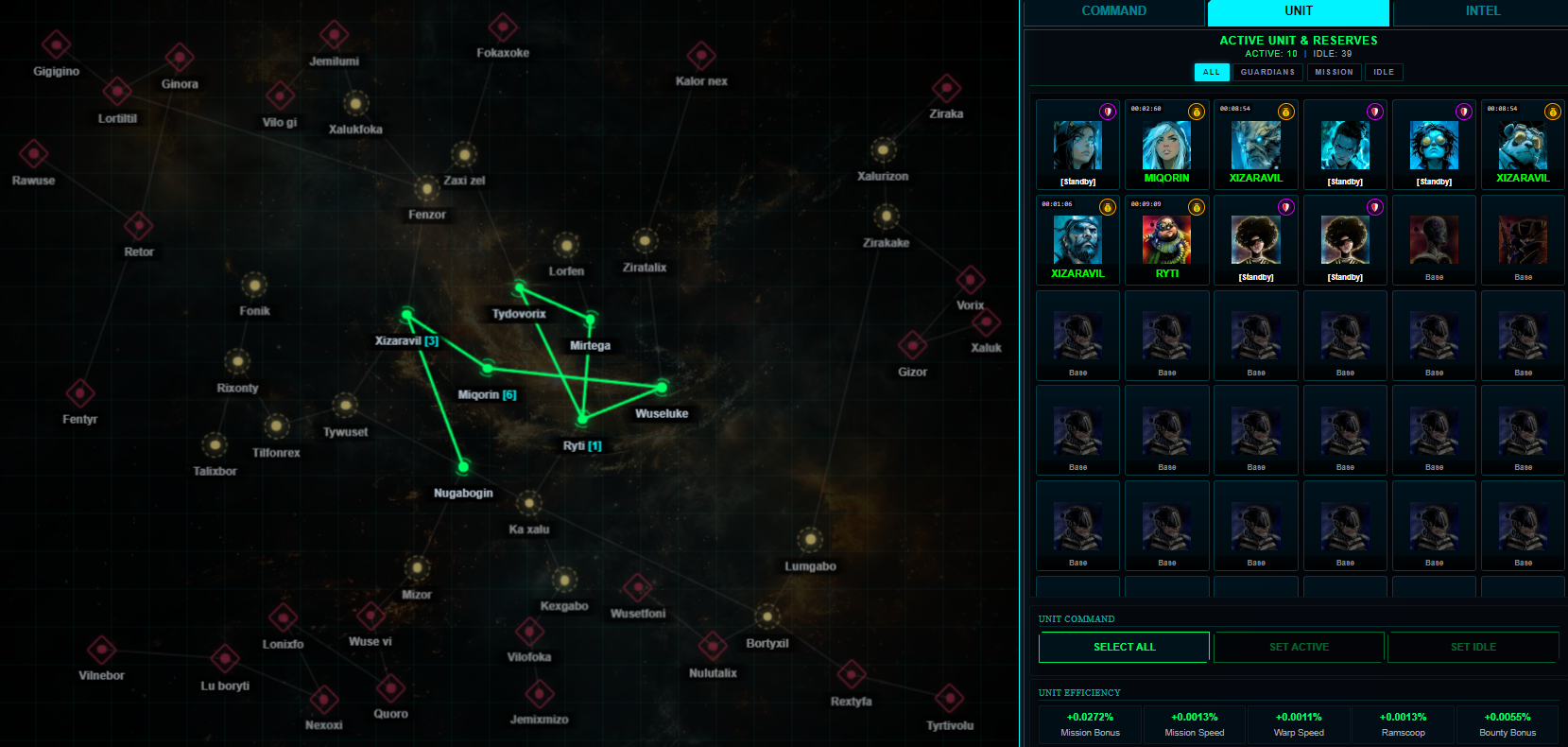
Galaxy Map
The galaxy map is zoomable and movable, allowing you to easily view and select solar system across the galaxy.
Travelable Solar Systems
Solar System comes in 3 different colors, representing different levels of risk and reward.
Solar Systems Type
- Green Safe Zones: Safe from attacks, but may face overcrowding, potential mission queues and have the lowest rewards.
- Yellow Neutral Zones: GIO will attack; Allies' Guardian Troopers will aid when attacked.
- Red Danger Zones: Frequent and larger GIO attacks; no ally support, you’re on your own.
Whitelist System
Workhorse Troopers and Utility Troopers that are set to active will only be able to accept missions from a whitelisted Solar System.
- Basic Whitelist: 7 Green Safe Zones by default.
- Customizable Whitelist: Players can upgrade to include Yellow and Red Zones using Credits.
- Manage Whitelist: Add or remove Yellow and Red Zones anytime for strategic planning and resource management.
Tax Rewards
- Each Solar System can have up to 6 Planets, with each planet offering up to 25 missions.
- Owners receive tax rewards when missions on their Planets are completed.
Running a Mission
Trooper Assignment
- Select Troopers or Companions and click "Set Active" to automatically search for missions based on the Whitelist.
- Maximum Troopers can be upgraded using Credits. Higher Faction Rank provide additional bonuses to the number of active Troopers.
Trooper Roles
- Workhorse Troopers and Utility Troopers: They will automatically survey, accept, and complete missions. The only thing you need to do is to make sure they are set to active and the travel paths between Solar Systems are connected.
- Guardian Troopers: Can only run Secure tasks. When Guardian Troopers are set to active, they patrol the galaxy to keep your mission running Troopers safe.
Factors Affecting Rewards
- Zones Data: See "View Zone Rewards" in the Spacefarer system for more details.
- Owned Grunt Gears (both NFTs and virtual): Check Account → Collection → Gears or the Black Market.
- Trooper rarity and type: Check Account → Collection → Troopers.
Mission Rewards
- Random rewards are given out when a mission is completed:
- Players may click "View Log" to see the exact rewards they've obtained from any particular mission.
- All rewards are accumulated. Click "Claim Rewards" in-game to collect them at any time during the Season.
Additional Features
- Grunt Gear Bonuses: Passive bonuses stack up to a cap of 10 legendary. Each Grunt Gear has a specific bonus type.
- Security Bounties: Guardian Troopers earn Credits for enemies defeated while securing.
- Upgrades: Use Credits to upgrade the Guardian Troopers damage and hit points.